
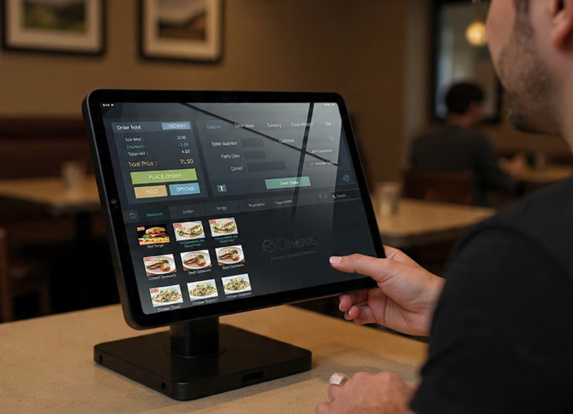
There's a well-worn saying in business: you can't manage what you can't measure. Nowhere is this more true than in the hospitality industry. UK restaurants, cafés, and takeaways operate in one of the most demanding commercial environments imaginable — tight margins, unpredictable footfall, staff turnover, rising food costs, and customers who have more choice than ever before. In this landscape, gut instinct and experience will only take you so far. The businesses that consistently outperform their competitors are the ones that make decisions based on data.
This is where your Restaurant ePOS system becomes something far more powerful than a glorified till. A modern, cloud-based ePOS platform like CubePOS generates a continuous stream of real-time sales data — and if you know how to use it, that data can transform the way you run your restaurant.
In this post, we'll explore exactly what kind of data your EPOS system is collecting, how to interpret it, and most importantly, how to turn those insights into practical actions that improve your profitability, reduce waste, and help you deliver a better experience to every customer who walks through your door.
What Data Does Your ePOS System Collect?
Before we dive into how to use your data, it's worth taking stock of what a good ePOS system is actually recording every time an order is placed or a payment is processed. The answer might surprise you.
Every transaction your ePOS handles generates data across multiple dimensions:
- What was sold — every item, every modifier, every combo
- When it was sold — date, time, day of the week, time of year
- How much it was sold for — the actual price charged, including any discounts or promotions applied
- How it was paid for — cash, card, contactless, or via a delivery platform
- Who sold it — which member of staff processed the order
- How long it took — from order placed to payment received
- Which table or channel — dine-in table number, takeaway counter, or online delivery platform
Multiply this across every transaction in a day, a week, or a year, and you have an extraordinarily detailed picture of your business. The challenge — and the opportunity — lies in making sense of it.
Real-Time vs Historical Data: Understanding the Difference
When we talk about real-time sales data, we mean information that's available to you the moment it's generated — not at the end of the day or the end of the week, but right now. With a cloud-based ePOS system, you can pull up a live dashboard on your phone or laptop and see exactly what's happening in your restaurant at this very moment: how many covers you've done, what your total revenue is so far today, which dishes are flying and which aren't moving.
This is fundamentally different from the end-of-day reports that many operators are accustomed to reading. Historical reporting is valuable — we'll come to that — but real-time visibility allows you to make decisions and adjustments during a service, not after the fact.
Combined, real-time and historical data give you both the immediate tactical awareness and the longer-term strategic insight you need to run a truly smart operation.
How Real-Time Sales Data Helps You During a Service
Let's start with the immediate, day-to-day benefits of having live data at your fingertips.
Managing Stock and Reducing 86s
One of the most frustrating experiences a customer can have in a restaurant is ordering a dish, only to be told a few minutes later that it's not available. Running out of a popular item mid-service — known in the trade as "86ing" a dish — is not only disappointing for guests, it can affect your revenue significantly if it happens to be one of your best sellers.
Real-time sales data helps you anticipate this problem. If you can see that you've already sold 18 portions of your mushroom risotto by 1pm on a Saturday and you only prepared 25, you know you need to alert the kitchen — or start up-selling an alternative — before you run out entirely. Over time, this data also informs your prep quantities, helping you to reduce both waste and the risk of running short.
Monitoring Revenue Against Targets
Many restaurant managers set daily revenue targets based on bookings, historical data, or seasonal expectations. With a real-time dashboard, you can track your progress against those targets throughout the day. If you're running behind at lunchtime, you might push a special offer on your social channels, brief your front-of-house team on up-selling desserts and drinks, or adjust your staffing for the evening service. Without real-time visibility, you'd only find out you missed your target when you run the end-of-day report — too late to do anything about it.
Identifying Problems Early
Sometimes, real-time data tells you that something isn't right before you'd otherwise notice. A sudden drop in order volume might indicate a problem with your online ordering system. An unusually high number of voided transactions could suggest a till error or, less charitably, a staff issue worth investigating. Catching these anomalies in real time means you can address them quickly, rather than discovering them days later during an accounts review.
How Historical Data Helps You Run a Smarter Business
Real-time data is powerful in the moment, but it's the accumulated historical picture that allows you to make bigger, more strategic decisions. Here's how.
Understanding Your Busiest Periods
This sounds simple, but many operators underestimate the value of granular footfall and revenue data broken down by day of the week and time of day. Your ePOS system knows exactly when your busiest covers are — not just "Saturday evenings are busy" but precisely which hours drive the most revenue, and how this varies by season, by month, and around local events.
With this information, you can optimize your staffing levels with far greater precision. Instead of scheduling the same number of staff every weekday lunchtime, you might discover that Thursdays are consistently 40% busier than Mondays — meaning you've been understaffed on one day and overstaffed on another. Getting your rota right based on actual data rather than guesswork can make a meaningful difference to your wage costs and your level of service.
Menu Engineering: Your Most Important Tool
Menu engineering is the practice of analyzing your menu items based on two dimensions: popularity (how often they're ordered) and profitability (how much margin they generate). When you plot your dishes on this matrix, you end up with four categories:
- Stars — high popularity, high margin. These are your heroes. Promote them prominently.
- Roughhouses— high popularity, low margin. Customers love them, but they don't make you much money. Consider adjusting portion sizes, sourcing cheaper ingredients, or nudging the price up slightly.
- Puzzles — low popularity, high margin. These dishes could be very profitable if more people ordered them. The question is why they're not selling — is it the description, the position on the menu, or the name?
- Dogs — low popularity, low margin. These are the dishes you should seriously consider removing from your menu.
Without ePOS data, doing this analysis properly requires hours of manual work. With a good ePOS system, this information is available at the click of a button, and you can run the analysis as often as you like. Many operators do a menu engineering review every quarter and find it consistently throws up surprises.
Spotting Seasonal and Weather-Based Trends
UK weather is famously unpredictable, but over time, patterns emerge. Your ePOS data might reveal that hot soup sales spike on cold, wet days, or that your garden terrace tables drive a disproportionate share of dessert revenue in summer. You might discover that your brunch menu performs exceptionally well in January and February — possibly because people are spending less on alcohol and looking for affordable treats — but tails off in the run-up to Christmas when people are eating out less for casual meals.
These insights allow you to plan your promotions, adjust your menu seasonally, and manage your ordering more intelligently throughout the year.
Evaluating Promotions and Special Events
Did that meal deal promotion you ran last month actually drive incremental revenue, or did it just discount sales you would have made anyway? Did the Valentine's Day set menu outperform last year's? How did revenue on the day you launched your new menu compare to the equivalent day the previous month?
Your ePOS system holds the answers to all of these questions. By building a habit of reviewing your data before and after any promotion or event, you develop a much clearer sense of what actually moves the needle for your business — and what sounds like a good idea but doesn't translate into real results.
Staff Performance: A Sensitive but Important Metric
ePOS data can also give you visibility into individual staff performance, and while this needs to be handled with sensitivity and transparency, it can be genuinely valuable.
Metrics like average transaction value per server, up-sell rate on drinks and desserts, or order accuracy (as indicated by the number of voids and modifications) can help you identify your strongest performers, spot team members who might need additional training, and create fair, data-backed conversations during performance reviews.
It's worth being open with your team about the fact that this data exists and how you intend to use it. Used well, performance data can be motivating — particularly if you tie it to recognition or bonuses. Used poorly, it can feel like surveillance and damage morale.
Integrating EPOS Data with Your Other Business Tools
The full power of your EPOS data is unlocked when it connects with the other software you use to run your business. Modern EPOS systems like CubePOS are designed to integrate with:
- Accounting software (such as Xero or QuickBooks) — automatically syncing your daily sales figures, VAT records, and payment breakdowns, saving hours of manual data entry every month
- Stock management systems — using sales data to automatically adjust stock levels and trigger reorder alerts
- Payroll software — connecting sales data with staff clock-in records to calculate wages more accurately
- Reservation and booking platforms — correlating covers with revenue to understand the true value of each booking source
Each integration adds another layer of insight and removes another area of manual admin from your workload. The goal is a business where the data flows automatically between systems, giving you a complete, up-to-date picture of your operation without anyone having to compile spreadsheets.
Getting Started: Making Data Part of Your Daily Routine
The biggest barrier to using ePOS data effectively isn't access — it's habit. Many operators have access to excellent reporting tools but rarely open the dashboard. The solution is to make data review a deliberate part of your daily and weekly routine.
A simple framework that works well for many UK restaurant operators:
- Daily: Spend five minutes reviewing yesterday's revenue, cover count, and top-selling items. Compare against the same day last week.
- Weekly: Review the week's trading against targets and the previous week. Check staff performance metrics. Note any anomalies worth investigating.
- Monthly: Run a full menu engineering analysis. Review promotional performance. Check your busiest and quietest periods and assess whether your staffing reflected that.
- Quarterly: Pull longer-term trend data. Compare to the same quarter last year. Use the insights to inform your menu refresh, staffing strategy, and upcoming promotions.
The more consistent you are, the more value you'll extract. Over time, you'll develop an intuitive feel for your business's patterns and be much better placed to spot when something is off.
Why CubePOS Makes Data Simple
At CubePOS, we believe that data should be accessible to every restaurant operator in the UK — not just those with a dedicated analytics team. Our dashboard is designed to surface the most important insights clearly and simply, without requiring any technical expertise. From live revenue tracking to detailed menu performance reports, everything is available in a few taps on your iPad or a click on your laptop.
Because CubePOS is cloud-based, your data is always up to date and accessible from anywhere — whether you're on the restaurant floor, working from home, or planning a second site. And with integrations for leading UK accounting packages and delivery platforms, your ePOS data works harder across your entire business.
Conclusion
The restaurants and takeaways that will thrive in the years ahead are those that embrace data as a core management tool. Real-time sales insights don't replace experience and instinct — they sharpen them. When you know exactly what's selling, when it's selling, and how much it's making you, every decision you make — from your menu to your rota to your marketing — becomes more confident and more likely to pay off.
Your ePOS system is already collecting this data every time a customer orders. The question is whether you're using it.
To find out how CubePOS can help your UK restaurant, café, or takeaway make smarter decisions with real-time data, visit www.cubepos.co.uk and book your free demo today.